 Jawad Abdullah
The best external SSDs are much more affordable than they used to be. Unlike the external hard drives of old, today’s external SSDs are genuinely speedy—sometimes enough to compete with internal SSDs. This all depends on what USB generation your system supports, though. If you’re limited to an older generation, you won’t be able to make the most of some of the best external SSDs for gaming.
The Adata SD810 is the best overall external SSD, as it offers simply amazing price to performance and can maintain its peak sequential transfer speeds for a very long time. The Crucial X9 is the best budget external SSD now that it’s dropped lower in cost. It offers consistent transfer speeds that get close to the rated maximum over its USB 3.2 Gen 2×1 connection.
Whether you’re looking to expand your storage for your desktop PC, handheld gaming PC, or console, using an external SSD is a convenient way to do so. Depending on which drive you opt for, you might also get something that’s genuinely portable in a way that the older external drives never were. Whatever your use case, there should be something that fits the bill listed below.
Adata SD810
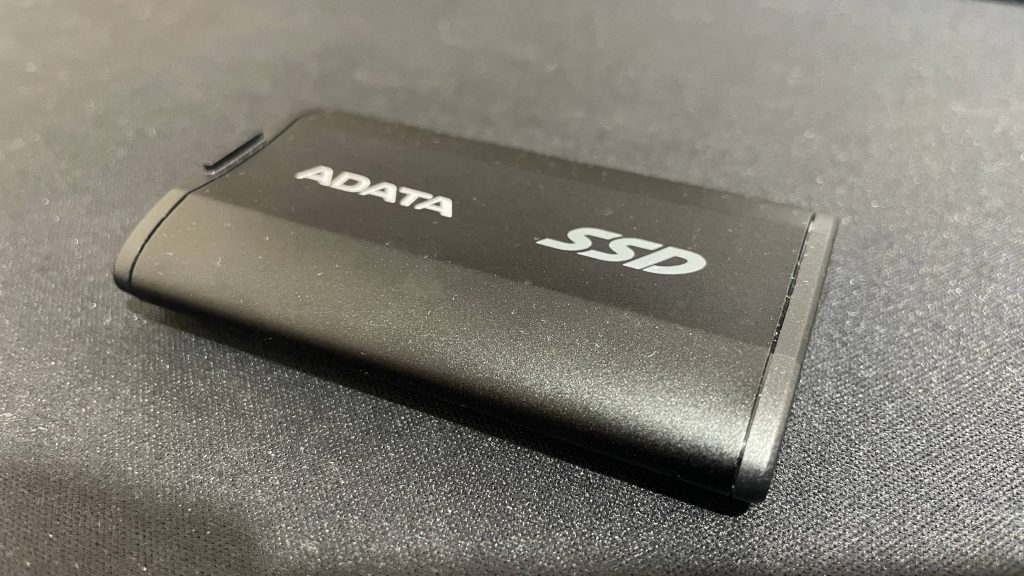
The best overall external SSD for gaming
| Specifications | Attributes |
|---|---|
| Capacity | 500 GB / 1 TB / 2 TB / 4 TB |
| USB generation | 3.2 Gen 2×2 |
| Rated performance | 2,000 MB/s (read and write) |
| Flash memory | 3D NAND |
| Controller | Silicon Motion SM2320 |
The Adata SD810 is the best external SSD for gaming because it hits the crucial balance between price and performance for most use cases. It’s a USB 3.2 Gen 2×2 drive, meaning it offers up to rated speeds of 2,000 MB/s, and in my testing, I found that it hits close to this rated speed for longer than most other reasonably priced drives of the same generation.
Provided you have a USB 3.2 Gen 2×2 port, the SD810 should offer more than enough for the majority of gamers looking to expand their storage with a portable solution. When I set it to work in the IOMeter testing tool, it managed to transfer over 250 GB of data in about 2 minutes and 30 seconds before the pseudo-SLC cache ran out and speeds dropped. 250 GB will cover most uses, don’t you think?
In pretty much any other use case, though, the Adata SD810 should serve you well. It’s a fantastic, light, small, and speedy external SSD with some cracking extra features for an eminently reasonable cost.
Pros
- Maintains peak sequential transfer speed for a long time
- Fast game load times
- IP68 dust and water protection
Cons
- Dust cover is a little hard to pop off
- Not massively drop resistant
- Short included cable
Crucial X9
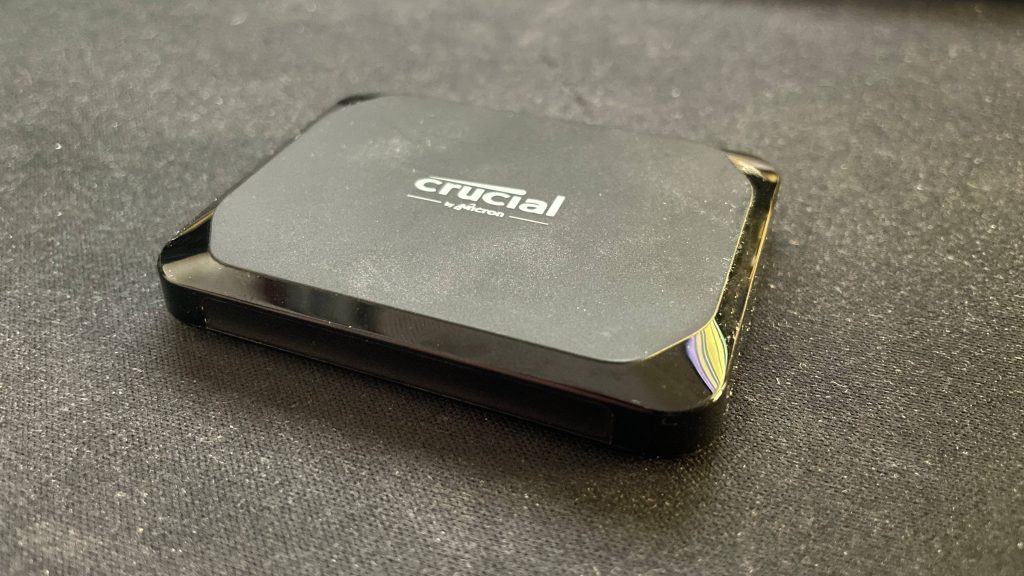
The best budget external SSD for gaming
| Specifications | Attributes |
|---|---|
| Capacity | 1 TB / 2 TB / 4 TB |
| USB generation | 3.2 Gen 2×1 |
| Rated performance | 1,050 MB/s read |
| Flash memory | 3D NAND |
| Controller | Unknown |
The Crucial X9 is the best budget external SSD for gaming now that it’s reached similar pricing to our previous pick, the Crucial X6. The latter is a cracking little drive, and if it’s on sale for significantly cheaper than the X9, it’s worth a look, but by and large, the market’s moved on. Now, the X9 is where it’s at.
While it’s a USB 3.2 Gen 2×1 drive just like the X6 and therefore shares the connection’s same 10 Gbps theoretical maximum transfer speed, the X9 is much speedier. And yes, that’s even compared to the updated 800 MB/s X6. The X9 hits very close to 1,000 MB/s for transfers, and it stays at this for several minutes, which is a great sustained performance for an external drive.
There is, of course, almost always something sacrificed to achieve a low price tag. In this case, this sacrifice is the X9’s lack of USB Type-C port protection and its plastic casing, which might make it less durable than some other drives in the long term. But it feels durable enough, so these things are a worthy sacrifice. If a budget portable drive is what you’re after, look no further than the Crucial X9.
Pros
- Maintains peak transfer speeds for over six minutes
- Cheap
- Smart-looking, small, and light
- Can attach to a lanyard
Cons
- No IP rating for dust protection
- Limited by 10 Gbps USB 3.2 Gen 2×1 speeds
Samsung T9
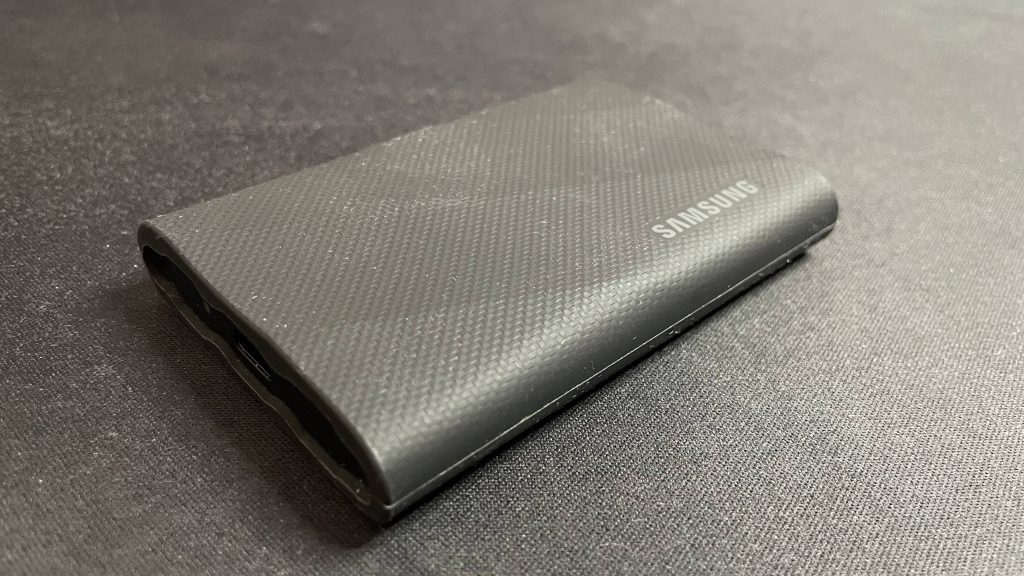
The best external SSD for video editing
| Specifications | Attributes |
|---|---|
| Capacity | 1 TB / 2 TB / 4 TB |
| USB generation | 3.2 Gen 2×2 |
| Rated performance | 2,000 MB/s (read and write) |
| Flash memory | In-house (Samsung) 3D NAND |
| Controller | Samsung Pablo |
The Samsung T9 is the best external SSD for video editing because its quality in-house components guarantee a level of consistency you don’t see in most other portable drives, along with durability that means it’s got a great balance between performance and ruggedness if you take it out in the field.
Usually, after a minute or two, a USB 3.2 Gen 2×2 drive like this one will drop down to very slow (sub-200 MB/s) speeds. Not so with the T9. In my testing, I found it to transfer files consistently above 900 MB/s after the initial 1 minute and 30 seconds of peak (~1,800 MB/s) speeds. This speaks to the premium quality of the T9’s internal components and cooling, and it translates to a consistent and reliable experience regardless of how much you have to transfer.
What, did we expect to get such high-quality internals and consistent speeds for free? It’s certainly worth the money, but that doesn’t mean it’s the best choice for everyone. A cheaper drive, such as the SD810 will suffice for many, but if video editing is your primary purpose for buying an external SSD, the Samsung T9 has the best balance of what you need overall.
Pros
- Seemingly endlessly maintains fast speeds
- Keeps very cool
- Drop-proof
- Feels premium
Cons
- Doesn’t maintain its peak speeds as long as the Adata SD810
- Larger and heavier than most other drives
- Isn’t rated to be protected against dust or water
Seagate Ultra Compact
The best thumb drive replacement
| Specifications | Attributes |
|---|---|
| Capacity | 1 TB / 2 TB |
| USB generation | 3.2 Gen 2×2 |
| Rated performance | 1,000 MB/s (read) / 1,000 MB/s (write) |
| Flash memory | 3D NAND |
| Controller | Unknown |
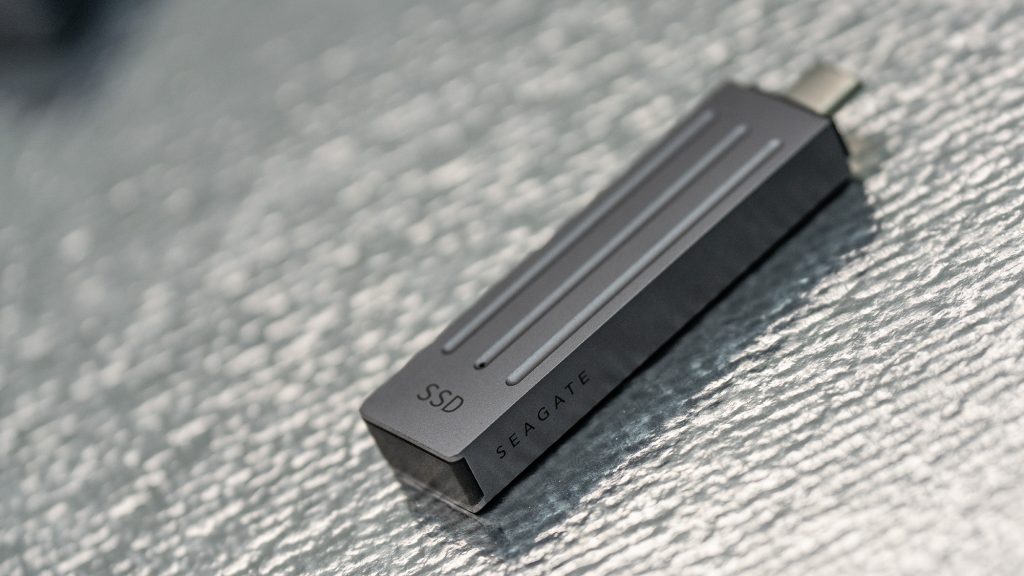
The Seagate Ultra Compact is the best thumb drive replacement, and that’s not all it has going for it. It’s also a decent performer for something that’s housed in such a small package.
In fact, the Ultra Compact sacrifices surprisingly little to attain such a small form factor. Sure, you can get quicker speeds elsewhere in a larger form factor device, but this is only 70 x 20.4 x 12.5 mm. And apart from that? There’s very little not to like.
Ultimately, though, what you want from a portable drive is something small that delivers acceptable performance, and that’s exactly what you get with the Seagate Ultra Compact. I can’t go further than “acceptable”, though, because it ranks a little lower than most USB 3.2 Gen 2×2 drives we’ve tested in index and bandwidth.
Its score certainly aren’t bad, but we noticed a slowdown in Final Fantasy XIV, meaning it’s not an excellent gaming device. It also just out at a 90 degree angle, rather than using a cable, which means you’re better off with a dedicated device in your rig at all times. The size makes it much better for moving files or taking on trips.
Pros
- Easy to transport
- Runs cool
- Respectable speed
Cons
- Faster drives are out there
- No one wants to wear an SSD round their neck
- Sticks right out
LaCie Rugged Pro 5
The best durable external SSD for gaming
| Specifications | Attributes |
|---|---|
| Capacity | 2 TB / 4 TB |
| USB generation | USB4 Gen 2 |
| Rated performance | 5,300 MB/s (read) / 1,000 MB/s (write) |
| Flash memory | 3D NAND |
| Controller | Unknown |
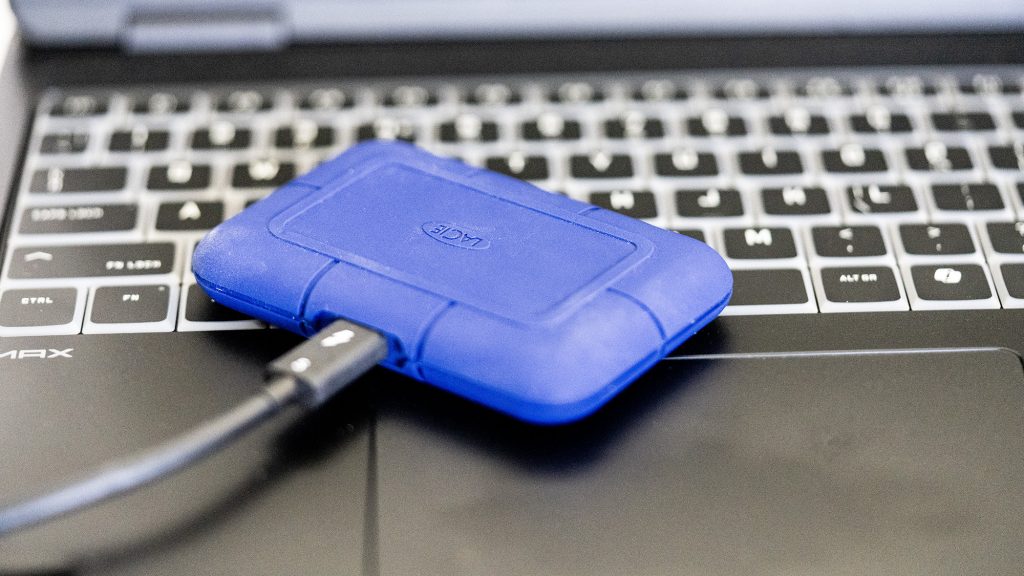
Thanks to a wonderfully dense and hardy frame, the LaCie Rugged Pro 5 is the best durable SSD for gaming. Despite being very tough, it’s arguably the cutest SSD in our entire list, too.
It is worth noting, however, that the Rugged Pro 5 is very much a niche within a niche. If you just need a drive to plug into your rig, this is much more expensive than you will ever need to spend. As well as this, with Thunderbolt 5 support (making for speeds of up to 80 Gbps), you will need the requisite port to even get the most out of this drive.
In a Thunderbolt 5 port (which can be spotted in the likes of the new Razer Blade 2025), we managed to get peak read speeds of 6956.33 MB/s and peak write speeds of 5272.78 MB/s. This is mighty impressive and good enough to edit real-time 6/8k footage, as claimed by Seagate. This, plus the durability, makes the Rugged Pro 5 decidedly not an SSD for the average gamer. It’s far more expensive than would be noticeable in the average game of Fortnite. However, if you travel a lot and fancy throwing a few games from your library onto it, this little blue drive will run them admirably, assuming you have the right ports.
If you’re stuck with the rest of us on USB 3.2 ports, you will actually get better performance from dedicated 3.2 drives. However, if you are in the right niche for this drive, it’s a mighty blue beast.
Pros
- Fast
- Rugged
- Blue
Cons
- Expensive
- Unnecessary
- Slower than you’d expect on USB 3.2