 Jawad Abdullah
As a student, managing time efficiently and staying organized can be challenging. With the increasing demands of academic life, it’s crucial to leverage technology to enhance productivity. In this article, we will explore the top 10 productivity apps that can significantly improve your academic performance and help you stay on top of your tasks. These apps are designed to assist students in various aspects of their studies, from time management to note-taking and task organization.
These productivity apps offer features such as setting reminders, creating to-do lists, syncing across devices, and providing study aids like flashcards and quizzes. By utilizing these tools, students can streamline their workflow, reduce procrastination, and boost their overall efficiency. One highly recommended app is Todoist, which allows users to categorize tasks, set deadlines, and prioritize assignments. Another popular choice is Evernote, a versatile note-taking app that enables students to capture ideas, organize research materials, and collaborate with peers on group projects.
Furthermore, apps like Forest and StayFocusd help students combat distractions and improve focus by limiting access to time-wasting websites and encouraging short bursts of concentrated work. Integrating these top productivity apps into your academic routine can revolutionize the way you approach studying and completing assignments. By harnessing the power of technology, you can optimize your time, enhance your learning experience, and achieve academic success with greater ease.
Evernote: Your Digital Notebook
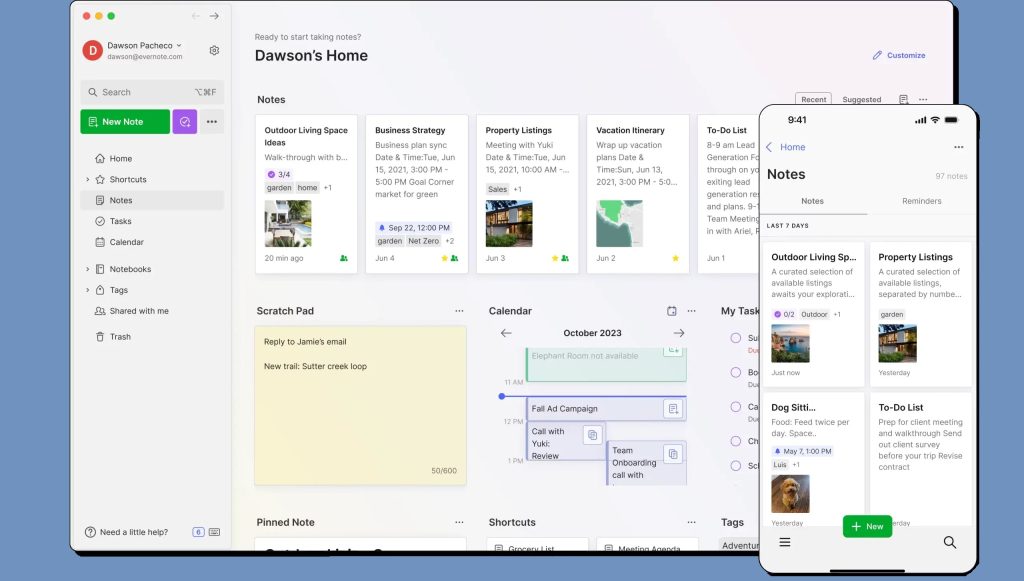
Evernote is a versatile note-taking app that allows you to capture ideas, create to-do lists, and organize your notes efficiently. It offers features like text formatting, audio recording, and image attachment, making it a comprehensive tool for students. Whether you’re jotting down lecture notes, brainstorming ideas for a project, or keeping track of your study schedule, Evernote provides a seamless experience across all your devices.
One of the standout features of Evernote is its powerful search functionality. You can search for text within your notes, including handwritten notes and images, making it incredibly easy to find specific information. Additionally, the app allows you to create notebooks and tags, helping you categorize and organize your notes effectively.
Forest: Stay Focused and Beat Procrastination
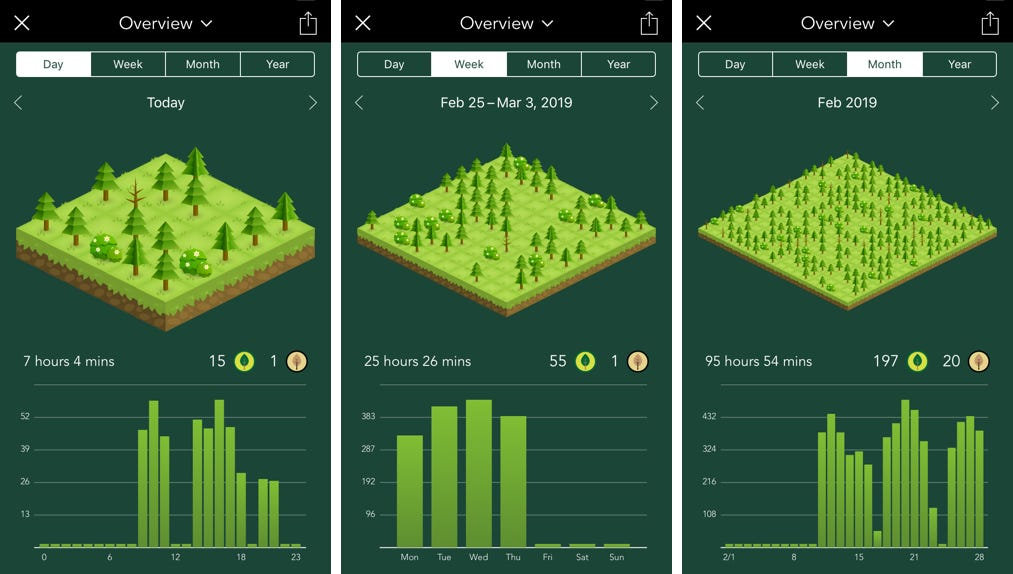
Forest is a unique productivity app that helps you stay focused by gamifying the process of avoiding distractions. When you need to concentrate on a task, you plant a virtual tree in the app. As you work, the tree grows. However, if you leave the app to check social media or browse the internet, the tree dies. Over time, you can grow an entire forest, symbolizing your productivity and focus.
This app is particularly effective for students who struggle with procrastination. By turning focus into a game, Forest motivates you to stay on track and complete your tasks. Additionally, the app partners with a real-tree planting organization, allowing you to make a positive environmental impact as you stay productive.
Microsoft OneNote: Comprehensive Note-Taking Solution
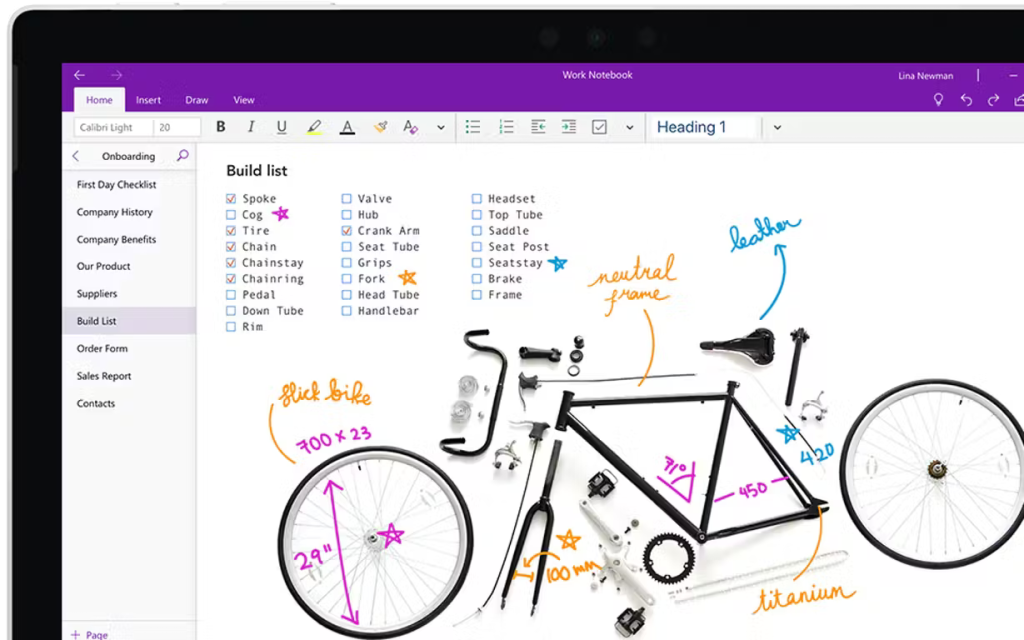
Microsoft OneNote is another powerful note-taking app that offers a range of features to help students stay organized. It supports text, images, audio recordings, and even handwritten notes, making it a versatile tool for capturing and organizing information. OneNote’s notebook structure allows you to create separate sections for different subjects or projects, and its search functionality helps you find specific notes quickly.
OneNote also integrates with other Microsoft Office apps, such as Word and Excel, providing a seamless workflow for students who use these tools for their assignments and projects. The app’s collaboration features allow you to share notebooks with classmates and work together in real-time.
Todoist: Task Management Made Simple
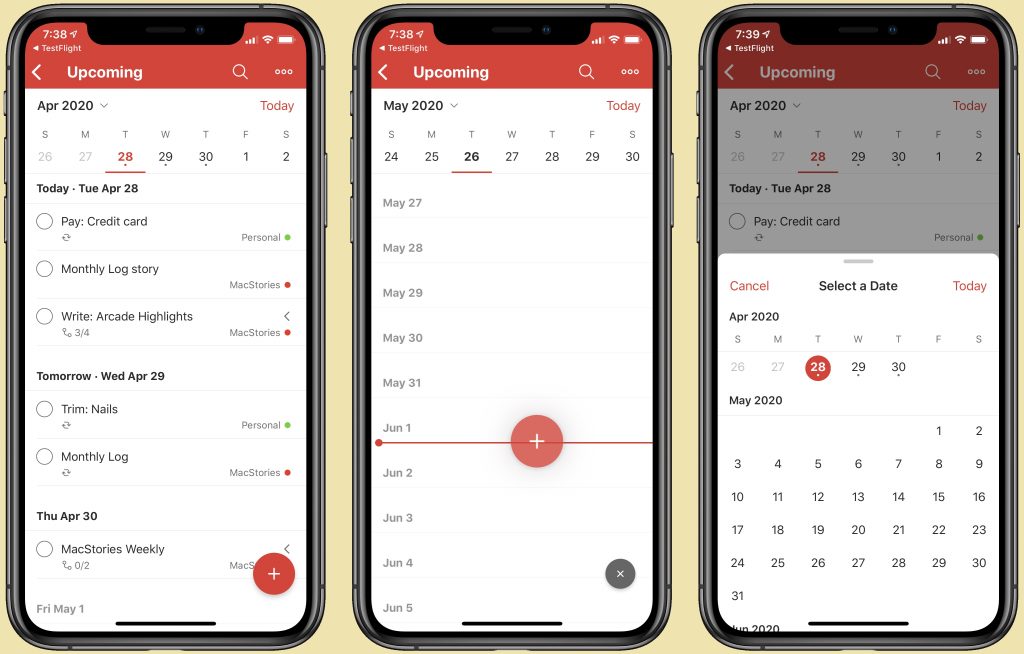
Todoist is a popular task management app that helps you organize and prioritize your tasks. The app’s clean and intuitive interface makes it easy to create tasks, set deadlines, and categorize them using projects and labels. Todoist also offers recurring tasks, reminders, and a productivity tracking feature that shows your progress over time.
For students, Todoist is an invaluable tool for managing assignments, exams, and extracurricular activities. You can break down large projects into smaller tasks, set due dates, and receive notifications to ensure you stay on track. The app’s integration with other tools like Google Calendar and Dropbox further enhances its functionality.
Notion: All-in-One Workspace
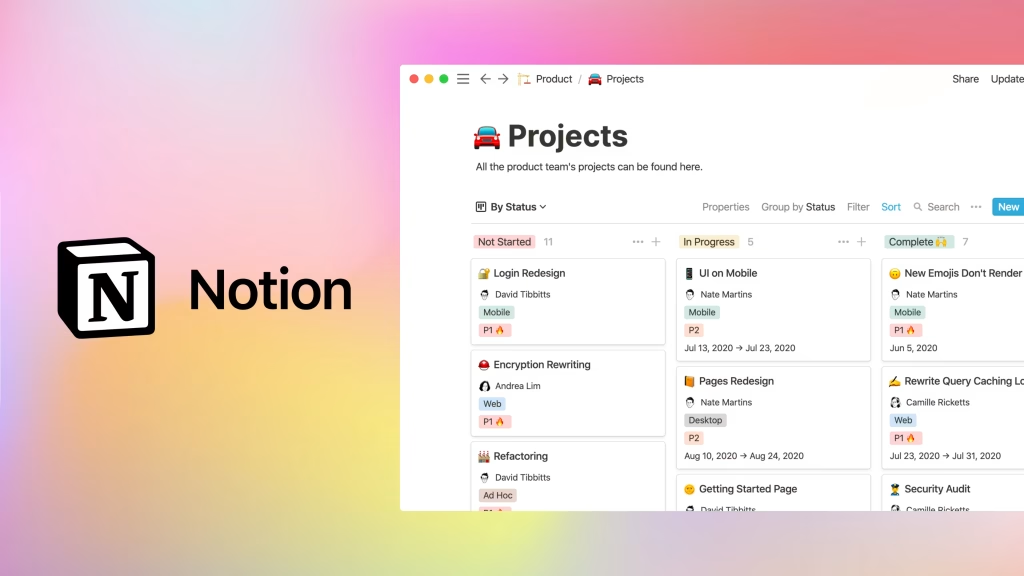
Notion is an all-in-one workspace that combines note-taking, task management, and collaboration features. The app allows you to create pages and databases for different types of content, such as notes, to-do lists, calendars, and project trackers. Notion’s flexibility and customization options make it a powerful tool for students who need a comprehensive productivity solution.
One of the key advantages of Notion is its ability to integrate different types of content within a single workspace. You can embed documents, images, videos, and even code snippets, making it a versatile tool for various academic tasks. The app also supports real-time collaboration, allowing you to work on projects with classmates and share resources easily.